5.1 What your connection reveals

The question before the tools
People often reach for privacy tools — a VPN, a different browser, an encrypted app — before they have a clear picture of what their internet connection actually exposes in the first place. That is the wrong way round. Without knowing what is visible, to whom, and for how long, it is impossible to judge whether a given tool fixes a real problem or simply moves it elsewhere. This page sits deliberately before the discussion of VPNs in 5.2, because the value of a VPN, or of encrypted DNS, or of anything else, only makes sense once you understand the exposure it is meant to address.
The aim here is not to alarm but to describe, plainly, the ordinary mechanics of going online. None of what follows implies that someone is watching you personally. Most of it is simply how networks function: to deliver data to the right place, the network must know where that place is. The privacy question is not whether this information exists — it must — but who retains it, for how long, and what could later be done with it. That framing, drawn from the threat-modelling approach in Chapter 1, is what turns a list of technical facts into useful decisions.
What your internet provider can see
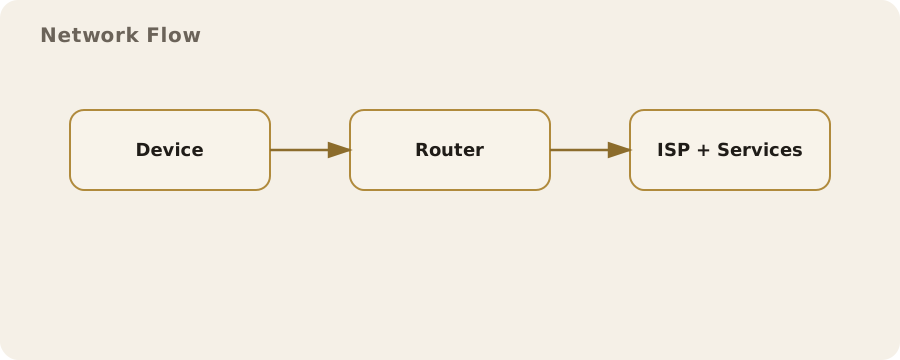
Your internet service provider — the broadband company at home, or the mobile network on your phone — occupies a uniquely revealing position. Every connection you make passes through it, which means it can observe a great deal even when it cannot read the contents of your traffic. At minimum it can see which servers you connect to, when, how often, and how much data you exchange with each. Because modern websites are encrypted, the provider usually cannot see the specific pages you read or the words you type, but it can very often see that you connected to a particular service, and the timing alone can be revealing.
This is the distinction between content and metadata that runs throughout this guide, and it is worth being precise about. The content of an encrypted page is hidden; the fact that your connection went to a particular bank, a particular health service, a particular dating site, or a particular political organisation frequently is not. A provider that can see you connect to a gambling-support service every evening, or to a domestic-abuse charity at 2am, knows something genuinely sensitive without ever reading a single word. The shape of your connections — the pattern discussed at length in the chapter introduction — is itself information.
IP addresses and what they give away
Every device on the internet is reachable through an IP address, the numerical label that lets data find its way to you and back. When you visit a website, that site sees an IP address associated with your connection, and it uses it to send the page back. The same address is therefore both necessary for the internet to work and a handle by which you can be located and recognised. From an IP address, a website or an observer can usually infer your rough geographic area and your provider, and, with legal process, your provider can connect the address to the specific account-holder it was assigned to at a given time.
Two practical points follow. First, your IP address is not a name, but it is a strong pointer towards one, which is why it features so heavily in both advertising and investigation. Second, IP addresses are often shared and reassigned — many homes sit behind a single address, and mobile networks rotate them — so an address identifies a connection rather than a person with perfect precision. This is exactly the exposure a VPN changes, by substituting the VPN server's address for yours, with the trade-offs set out in 5.2. It is also why a website seeing a UK address is what triggers UK-specific behaviour such as the age checks described in 17.2.
DNS: the address book that leaks
Before your device can connect to a website, it has to translate the human-readable name, such as a shop's web address, into the numerical IP address the network uses. This translation is done by the Domain Name System, or DNS, which acts as the internet's address book. The catch is that, historically, these look-ups have been sent in the clear, which means that even when the page you eventually load is fully encrypted, the question — "what is the address for this site?" — could be seen by your provider and anyone else on the path. DNS has therefore long been one of the quietest but most complete records of where a person goes online.
By default, your DNS look-ups usually go to your internet provider's servers, giving it a tidy list of the domains you visit even without inspecting your traffic. Encrypted DNS — sold under names such as DNS over HTTPS or DNS over TLS — closes much of this gap by encrypting the look-up itself, so that the question is no longer visible to the network in transit. It does not make you anonymous, and it shifts trust to whoever runs the DNS service you choose, but it removes one of the easiest and most overlooked leaks. Most current browsers and operating systems can enable encrypted DNS in their settings, and doing so is one of the higher-value, lower-effort steps available.
What HTTPS fixed, and what it did not
It is worth giving credit where it is due: the near-universal adoption of HTTPS over the past decade was an enormous privacy improvement, and it changed the picture described above for the better. HTTPS encrypts the contents of the pages you load, so that your provider, a Wi-Fi operator, or anyone else on the path can no longer read the articles you view, the messages you submit, or the passwords you enter. The padlock in the address bar is a genuine and meaningful protection, and the days when anyone on a café network could read your browsing in full are largely behind us.
What HTTPS does not do is hide the destination. Encrypting the contents of a conversation does not conceal who you are talking to, and several mechanisms — the IP address you connect to, the DNS look-up if it is not itself encrypted, and a field in the connection setup that has historically named the site you are reaching — can still reveal the destination even over HTTPS. The result is the situation this page keeps returning to: content is well protected, metadata much less so. Understanding that split is the single most useful thing to take from this page, because nearly every network privacy tool is really a tool for protecting metadata that HTTPS leaves exposed.
Retention and the UK picture
The exposure described so far would matter less if the records were fleeting. In the UK, they are not always so. Under the Investigatory Powers Act 2016, communications providers can be required to retain certain data about their customers' use of services for up to twelve months, and to make it available to authorised public bodies under defined processes. The detail is technical and the categories are debated, but the practical reality for an ordinary person is that the metadata your connection generates is not necessarily discarded the moment it has done its job; some of it can be kept, and later retrieved, long after the activity itself is forgotten.
This is the point at which network privacy stops being an abstraction and connects to the wider direction described in Chapter 17. Retained connection records, the pressure on encryption set out in 17.5, and the growth of identity-linked online activity all draw on the same underlying fact: that ordinary use of the internet generates a durable trail. None of this means you are being watched, and it is not a reason for alarm. It is a reason to make a few deliberate choices about which trails you generate and where, rather than leaving every one of them to default settings designed for someone else's convenience.
A sensible baseline
The reassuring conclusion is that a handful of modest, lawful steps address most of the exposure described here, and none of them requires expertise. Enable encrypted DNS in your browser or operating system, so that your look-ups stop being an open record of where you go. Keep HTTPS as your default and treat the rare unencrypted site as the exception it now is. Understand, from 5.2, what a VPN does and does not change before deciding whether you need one, rather than installing one reflexively. And carry the content-versus-metadata distinction with you, because it explains why "the page is encrypted" is not the same as "no one can tell what I am doing".
Above all, match your effort to your actual situation. For most people, on most days, the baseline above is proportionate and sufficient, and the heavier tools described later in this chapter are unnecessary. For those with a sharper threat model — journalists, activists, people at risk from someone with access to their network — the same understanding points towards stronger measures such as Tor, covered in 6.2, and the habits in 5.3. Either way, the right sequence is the one this page exists to encourage: understand what is revealed first, then choose the tools that address it, rather than the other way round.