6. Browsing and information access

Observation without participation.
What gets recorded when you read
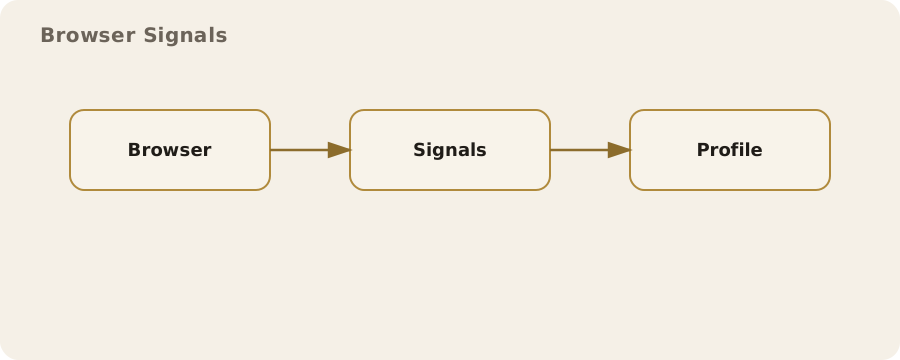
Reading online leaves a trail even if you never log in or post a word. A website receives your IP address, which reveals your network and usually a rough location. Your device sends a browser fingerprint: a mixture of details such as screen size, installed fonts, time zone, and the way your browser renders features. Taken together, this can be distinctive enough to recognise repeat visits without cookies.
There is also a separate layer of observation in the network itself. Your internet service provider can see the domains you connect to and, depending on how the site is configured, sometimes the full web address. In the UK, providers are legally required to keep certain records and may be asked to hand them over under lawful authority. That does not mean your browsing is actively watched, but it does mean logs can exist and can be accessed.
A common misunderstanding is that “private browsing” mode prevents tracking by websites or networks. It does not. It stops your own device storing history and cookies after the window closes. The site still sees your traffic; your network still routes it.
Seeing without being seen
If you want to read without leaving an obvious link to your everyday identity, start by separating the act of browsing from your usual accounts. That means not signing in to services while you research, and avoiding a browser session that is already logged in elsewhere. A common real-world example is reading about a health condition: if you search while logged in to a large account, the topic can influence recommendations or advertising later. Reading in a separate browser profile helps avoid that cross-linking.
Browser profiles are a practical tool. You can keep one profile for routine use and another for sensitive reading, each with separate cookies and saved data. This is less about secrecy and more about reducing accidental correlations. It will not hide you from the website itself, but it can stop different parts of your digital life from merging.
Search engines and discovery
Search engines are not neutral pipes. They log queries, associate them with identifiers, and tailor results. For everyday use, the convenience is often worth it. For sensitive research, it can be a problem. If your search is about a legal dispute or a workplace issue, the same query could later become part of a profile attached to your account or device.
You can reduce this by changing how you search. Use engines that do not keep long-term query logs, or access a mainstream engine without being signed in and with a fresh browser profile. This will not erase the fact that your network made a request, but it lowers the chance that the query becomes part of a durable personal profile. It is also sensible to vary your wording and avoid overly specific personal details in queries.
Encrypted connections and what they do not hide
Most websites now use HTTPS, which encrypts the traffic between your browser and the site. This stops your internet provider and others on the network from reading the content of the page. It does not hide which site you visited, only the page content. The domain you connect to is still visible in the connection data, and that can be enough to reveal interests at a glance.
A practical example: reading the news is protected by HTTPS, so the articles you read are not visible to your provider, but your provider can still see the news domain you visited. If the domain itself is sensitive, encryption does not remove that risk. This is a limitation you can reduce but not fully eliminate with standard web browsing.
DNS and the map of where you go
Before your browser connects to a site, it uses the Domain Name System (DNS) to translate the name into an IP address. DNS requests can be logged by your provider or by whatever resolver you use. Switching to a privacy-focused DNS resolver can reduce the amount of logging outside your network, but it concentrates trust in that resolver. You are choosing who sees your map of destinations.
The risk here is quiet rather than dramatic. DNS logs can build a useful picture of what you read over time. The mitigation is to use encrypted DNS (often called DoH or DoT) offered by a resolver whose policies you accept. This reduces casual observation on local networks such as public Wi‑Fi, but it does not make browsing anonymous. It is a trade-off: better protection on the path, more trust in the resolver.
Public Wi‑Fi and shared networks
Cafés, hotels, and trains are convenient places to browse, but shared networks come with predictable risks. Even with HTTPS, a malicious hotspot can attempt to intercept traffic, and a poorly configured site can expose content. There is also the simple privacy risk of being watched over your shoulder or through a screen reflection, which is a very common failure mode in public spaces.
The practical mitigations are ordinary: prefer HTTPS-only sites; avoid logging into sensitive services on unknown networks; and use a VPN if you already trust one. A VPN does not make you invisible; it merely shifts the observation point from the local network to the VPN provider. The downside is that you are giving that provider a view of your traffic instead.
Content blockers and the limits of consent
Many websites load third-party scripts for advertising, analytics, and social media widgets. Those third parties can track you across different sites. Content blockers reduce this by preventing known tracking scripts from loading, which in turn limits cross-site identification. In day-to-day practice, this often makes pages faster and less noisy.
The limitation is that blocking is imperfect and sometimes breaks site features. Some sites rely on the blocked scripts for video playback or comment sections. The choice is therefore contextual: you might allow tracking on a newspaper site to access a specific tool, while keeping it blocked on most other sites. Accept that there is no universal setting that delivers both full functionality and strong privacy.
Cookies, local storage, and persistence
Cookies are small pieces of data stored by websites in your browser. They make sessions possible, but they also allow long-term tracking. Modern sites also use local storage and other browser features that can persist data even when cookies are cleared. That does not mean you should never allow cookies; it means you should understand that they create continuity over time.
A practical habit is to clear site data regularly for sites you do not wish to be persistent, or to use a browser that can automatically remove site data when you close it. This reduces long-term tracking but can be inconvenient because it logs you out of sites and removes preferences. That is an acceptable trade-off for some contexts, and a needless annoyance for others.
Reading without interaction
There are times when it helps to read without any interaction at all. For example, a journalist checking a press release might choose to fetch the page through a text-only reader to reduce exposure to trackers and scripts. RSS readers and text-only browsers are not new, but they are still useful for this purpose. They retrieve the content but skip most of the tracking code.
The downside is that some content will not load properly, especially on sites built around scripts. The mitigation is simple: use these tools as a default for routine reading, and switch to a full browser only when a site requires it.
Remote viewing and the difference between content and access
Some services let you view a page through their servers and then display it to you, which changes who appears to have accessed the site. This can be useful when you want to read a site without your own IP address showing up in its logs. A familiar example is a text-only “reader” view provided by a third party or a search engine cache. You are still seeing the content, but the site itself sees the intermediary.
The risk is that you are now trusting the intermediary with the content you read and the fact that you read it. If the content is sensitive, that trust decision matters. It also does not prevent your own network from seeing that you contacted the intermediary. This is a partial protection, not a cloak.
Social platforms and logged-in browsing
Social platforms are among the most aggressive at linking browsing activity to personal profiles. If you are signed in to a major platform in one tab, and you browse the web in another, embedded buttons and scripts can still report your activity. This is a common myth: people assume that if they do not click a “like” button, nothing is shared. The mere presence of the script is often enough.
The practical mitigation is separation. Use a different browser or a dedicated profile for social platforms, and do not use that profile for general browsing. This is not paranoia; it is a reasonable way to prevent platforms from building a more complete picture of your interests.
Local devices and the people around you
The quietest risk in browsing is usually the device itself. If a shared computer remembers previous searches, a family member or colleague can see them. A mobile phone handed to someone to check the weather can reveal recently visited sites via autocomplete. These are ordinary, everyday exposures.
Practical mitigations are mundane but effective: use separate user accounts on shared machines; disable autocomplete for sensitive browsing; and keep a habit of closing tabs when you are done. None of this is dramatic, but it aligns with the actual ways browsing habits tend to leak.
When anonymity is not the goal
Not every situation calls for hiding. Sometimes you want a stable identity because it builds trust, supports professional work, or allows access to services that require verification. The practical question is whether your reading activity should be linked to that identity, not whether you must conceal yourself at all times.
In the UK, people often navigate both public and private roles online: a professional profile for work, and a separate space for personal reading. Keeping these distinct is a form of self-preservation rather than secrecy. It reduces accidental mixing without claiming impossible levels of privacy.