3. Encryption and data at rest

Protecting what already exists
Much of the information worth protecting is not in transit at all. It sits on laptops, phones, external drives, office servers, home NAS boxes, cloud storage accounts, and backups that were made years ago and quietly forgotten. This is “data at rest”: anything stored rather than being actively sent across a network. Encryption at rest does not stop someone observing a message as it travels, but it can prevent them from reading files once they have access to the storage.
Encryption is a method of turning readable data into ciphertext using a key. If the key is not available, the ciphertext should be practically unreadable. The key point is practical: strong encryption is designed to make decryption infeasible without the key, not impossible in a theoretical sense. For most people and organisations, that practical barrier is the difference between a lost laptop being a mild nuisance and being a major breach.
What “at rest” really covers
Data at rest is broader than most people assume. It includes the obvious—documents on a laptop— but also phone photos, browser downloads, email archives, cached files, saved passwords in apps, and local copies of cloud documents. It includes metadata that can be as revealing as content: file names, modification dates, and folder structures. It also includes backups: the external drive in a desk drawer, the USB stick kept “just in case”, the old phone in a drawer, and the cloud backup you set up on a busy afternoon and never revisited.
In everyday terms, this means that protecting data at rest is as much about the boring, static stuff as it is about sensitive documents. A list of contacts, a calendar with appointments, a collection of PDF invoices, or a photo library can be more personal than a single secret file.
Full-disk encryption: the blunt but effective tool
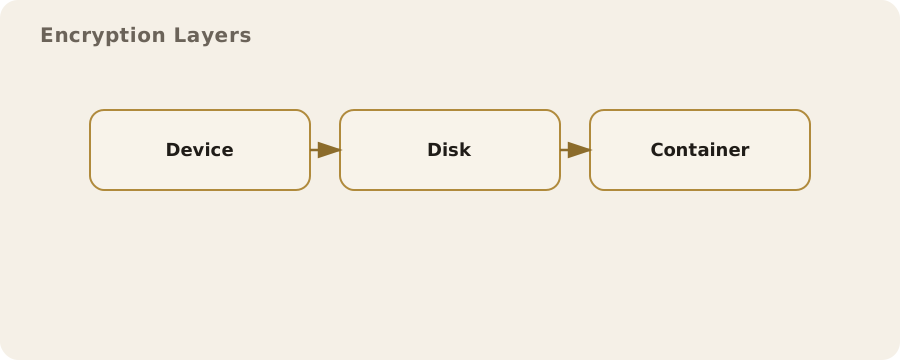
Full-disk encryption (FDE) encrypts an entire storage device, including the operating system, applications, and all files. It is now standard on most modern phones and widely available on computers. The appeal of FDE is its simplicity: if the device is powered off, the contents are protected by a key derived from your passcode or password.
A practical example: a commuter leaves a laptop on a train. With FDE enabled and a strong login password, the person who finds it cannot read the files without that password. Without FDE, the same laptop can often be opened in minutes by booting from a USB drive and copying the data.
The main limitation is that FDE protects data only when the device is off or locked. If the device is unlocked, the data is available to anyone who can use the machine. This is not a flaw so much as the basic reality of how computers work. It means that physical security and good habits still matter: lock the screen when you step away, enable automatic locking, and do not leave a device logged in where others can access it.
File and folder encryption: precision and flexibility
File- and folder-level encryption protects specific files, often with a separate password or key. This can be useful when you need to share a device with others, or when you want to keep a particular set of documents separate from the rest of the system. For example, a freelance researcher might keep client records in an encrypted folder and store everything else normally.
The trade-off is complexity. You must remember to put new files into the protected area, and you need to manage additional passwords or keys. People often overestimate their ability to maintain tidy boundaries in daily work. The result is a familiar failure mode: one sensitive file gets saved to the desktop by mistake, or a temporary copy ends up in an unencrypted folder.
A calm, practical mitigation is to combine approaches: use FDE for broad protection, and add file-level encryption only where it genuinely adds value, such as a shared family computer or a device used for a mix of personal and professional work.
Phones and tablets: convenience with sharp edges
Most modern phones use hardware-backed encryption by default. The keys are stored in secure hardware and released only when the device is unlocked. This is good for ordinary data protection, but the details matter. Short PINs are easier to guess than longer ones. Biometric unlock (fingerprint or face) is convenient, but it can be compelled in some circumstances and it sometimes fails in ways that are not obvious to the user.
In the UK context, you should be aware that law enforcement can require you to disclose encryption keys or passwords in certain situations. This is not a common everyday event, but it is real. It affects how you might choose to secure a device if you are at higher risk of legal pressure, and it reinforces the value of minimising what you store in the first place.
A realistic example: a phone used for personal life and political organising might be convenient, but it creates a single point of risk. Separating roles—one device for personal use, another for sensitive work—reduces the amount of data exposed if one device is seized or lost. The downside is inconvenience and cost, which is a perfectly reasonable reason to choose a different approach. Trade-offs are legitimate, not failures.
Cloud storage: encryption depends on who holds the keys
Cloud storage providers often advertise “encryption at rest”. This usually means they encrypt the data on their servers, but they also control the keys. That protects against opportunistic theft and some internal mistakes, but it does not stop the provider from accessing your files, nor does it stop disclosure under legal request. It is still useful, just not the same as encryption where only you hold the keys.
If you encrypt files before uploading them—using a tool that you control—the cloud provider only ever sees ciphertext. This is sometimes called client-side or zero-knowledge encryption. It changes the risk profile: it limits provider access and reduces exposure in a breach, but it also means you are responsible for key management and recovery. If you lose the key, the data is effectively gone.
A practical pattern is to keep ordinary documents in standard cloud storage, while encrypting particularly sensitive material before upload. This keeps day-to-day workflow smooth while giving stronger protection for the most revealing files.
Backups: the most forgotten risk
Backups are essential for resilience, but they are also a common way data leaks. A laptop can be fully encrypted while an unencrypted backup sits on an external drive or in a cloud account. In real-world breaches, attackers often target backups because they are easier to access and contain a complete historical record.
A sensible approach is to encrypt backups separately, even if the source device is encrypted. Many backup tools can encrypt archives with a password. If you are doing manual copies, consider storing the backup inside an encrypted container or using a dedicated encrypted drive. The risk that remains is key loss: if you forget the password or lose the recovery key, the backup is useless. Mitigate this by storing the recovery information securely, not by weakening the password.
Keys, passwords, and recovery: the human factor
Strong encryption is only as good as the key management. A long, unique passphrase is more resistant to guessing and automated attacks, but it is also harder to remember. Writing it down is often sensible if it is stored safely. A sealed envelope in a secure location can be a better risk than a reused, guessable password.
People sometimes assume that encryption makes data “safe forever”. It does not. If the key is exposed—through phishing, malware, or a weak password—the encryption adds little. This is why operational practices matter: keep devices patched, avoid installing unknown software, use multi-factor authentication where possible, and treat password resets or recovery links with care.
Common myths and misunderstandings
One common myth is that encrypting a file makes it invisible. It does not. Encrypted files are still there; their names and sizes may still be visible; their existence can be observed. Another misunderstanding is that deleting a file removes it permanently. On most systems, deletion only removes the reference to the file, not the underlying data, until it is overwritten. Encryption at rest helps because even if a deleted file remains in unallocated space, it is still encrypted.
A third misconception is that encryption is only for those with something to hide. In practice, it is ordinary self-protection, like locking a door. It protects against accidents, theft, and routine exposure as much as against deliberate snooping. In a digitally monitored world, the line between sensitive and mundane shifts depending on context. A shopping history, a list of contacts, or a set of location-tagged photos can become sensitive when combined or interpreted by others.
Limits you cannot encrypt away
There are risks encryption does not solve. If someone gains access to a device while it is unlocked, encryption provides no barrier. If you are compelled to disclose a password, the protection disappears. If an app is designed to upload data in the clear or to share it with a third party, encryption at rest on your device does not prevent that sharing. These are limits of the system, not mistakes you made.
The practical response is layered: use encryption at rest as a baseline, keep devices locked, understand what apps are doing with your data, and limit what you store when the risk is not worth the convenience. These are trade-offs that vary with work, family, travel, and legal context. They are best treated as ongoing decisions rather than one-off settings.