2.4 Hardware security keys
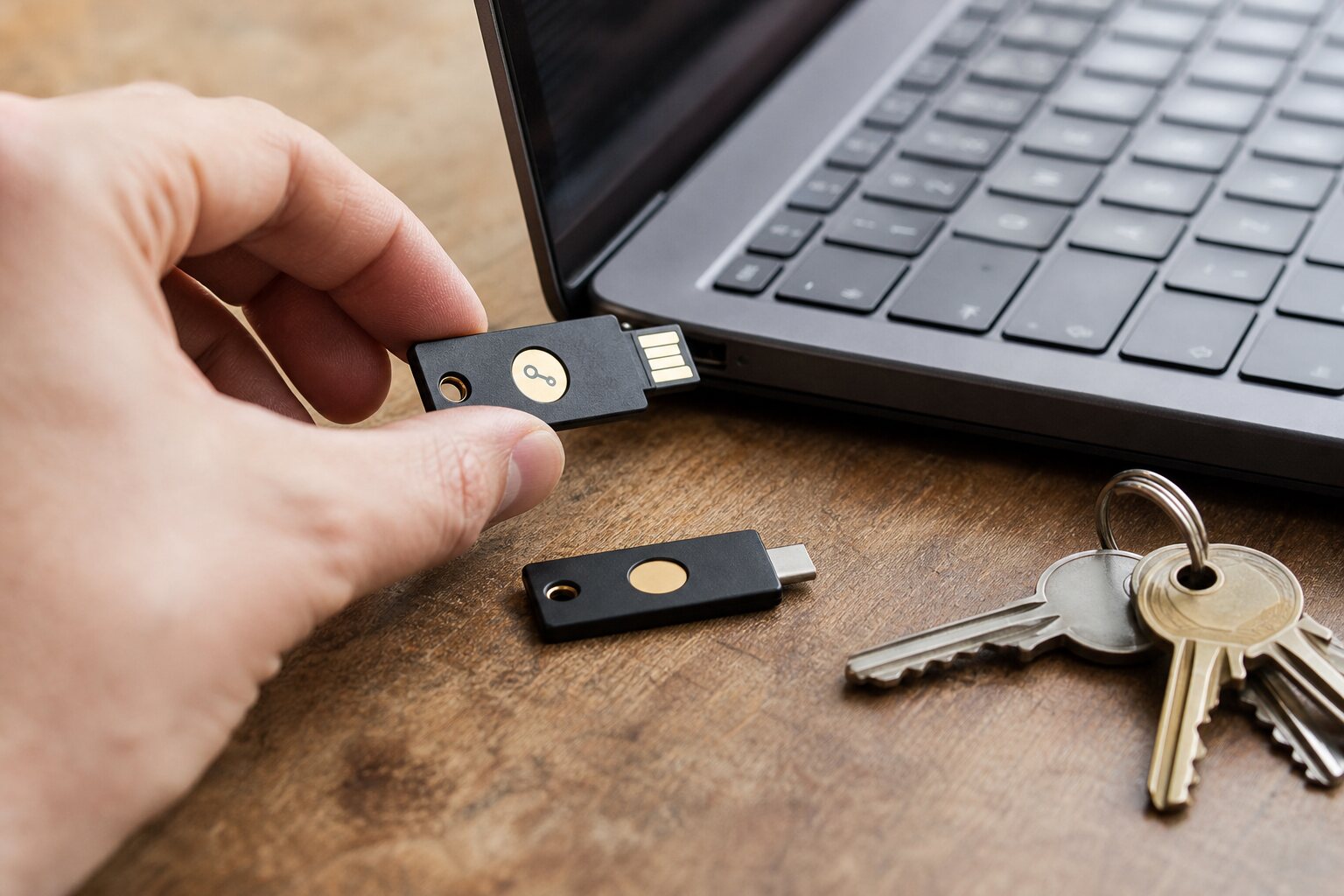
Physical proof of presence
Hardware security keys are small physical devices used to prove that a real person is present at the moment of sign-in. They are typically USB or NFC devices, sometimes with a simple button or touch pad. The key only performs its cryptographic step when it detects a deliberate touch, so a remote attacker cannot complete the login without physically having the key and interacting with it.
In practice that means a key is a second factor that cannot be copied or forwarded the way a code can. If your email provider supports it, you can register a key once and then tap it whenever you sign in. The action is quick and quiet, but it is a deliberate act that creates a clear point of control: you are there, you have the key, and you chose to use it.
How hardware keys work
Modern hardware keys usually follow standards such as FIDO2 and WebAuthn. When you register a key with a site, the key creates a unique cryptographic pair for that site: a private key that never leaves the device, and a public key stored by the service. At sign-in, the service sends a challenge. The key signs that challenge with the private key after a touch, and the service checks the signature with the public key on record.
Because each site gets its own key pair, one site cannot use a key registered elsewhere to impersonate you. This “per-site key” design is a common misunderstanding. Some people think a hardware key holds one universal secret. It does not. Each registration is separate, which limits damage if a single service is compromised.
Most keys can also work with older systems that expect a one-time code, but the stronger protection comes from challenge–response rather than codes. The difference matters in daily life. A one-time code is still a number you can type into a fake website; a cryptographic challenge is bound to the exact website you are actually visiting.
Phishing resistance in the real world
The main security benefit is phishing resistance. If you are tricked into visiting a fake banking login that looks convincing, a hardware key will not sign a challenge for that counterfeit site because the domain does not match the one you registered. You can still be fooled into entering your password, but the sign-in cannot be completed without the correct domain, and the key refuses to assist.
Consider a common scenario: you receive a text message saying your work email is locked and you must “confirm your account”. If you click the link, a fake login page appears. With a code-based second factor, the attacker can capture both your password and the code you type and use them immediately. With a hardware key, the fake site cannot finish the login even if it captures the password. That does not prevent every type of account abuse, but it stops one of the most common entry routes.
Advantages over software MFA
Software-based multi-factor authentication (MFA) includes text messages, email codes, and authenticator apps. These can be effective, but they have weaknesses that hardware keys avoid. SMS can be intercepted or redirected through SIM swap scams. Email codes depend on the security of your inbox, which may be the very account you are trying to protect. Authenticator apps are better, yet the codes can still be phished because they are designed to be typed into any site that asks for them.
A hardware key is not tied to your phone number or a mobile network. It is also not tied to a specific handset that can be lost, stolen, or silently infected. That said, the key becomes a physical object you must carry and keep safe. The trade-off is clear: the security is stronger, but the convenience depends on how well it fits into your day-to-day routine.
There is another subtle advantage: account recovery. Many high-risk account takeovers rely on hijacking the recovery process rather than the login itself. Some services allow a key to be used not just for sign-in but also for recovery or high-risk changes. Where that is available, it blocks a whole class of “forgotten password” abuse.
From second factor to passwordless
The description so far treats a hardware key as a second factor — something you add on top of a password. The same standards that make this work, FIDO2 and WebAuthn, also let a key do something more: store a full passkey, also called a resident or discoverable credential, so that the key becomes the entire login rather than a supplement to a password. This is the same passkey technology discussed in 2.2 and 2.3, but held on a physical device you carry rather than synced through software. When a site supports it, you can sign in by inserting the key and touching it, with no password to type or remember at all.
The distinction matters because it changes what the key protects against. As a second factor, a key backstops a password that could still be weak or reused; as a passkey store, it removes the password from the equation entirely, so there is no shared secret to phish, leak, or guess in the first place. The trade-off is capacity and recovery: keys can hold only a limited number of resident passkeys, and a passkey that lives solely on one physical key is lost with that key, which makes the backup discipline described in the next section essential rather than optional. For the accounts that matter most, a hardware key used as a passkey store is among the strongest practical protections an individual can deploy, combining the phishing resistance described above with the elimination of the password as a weak point.
In practical terms, the way to start is unglamorous but reliable. Buy two compatible keys rather than one, register both on your important accounts at the same time, and keep the spare somewhere safe and separate, so that losing one key is an inconvenience rather than a lockout. Where a service offers a choice between using the key as a second factor and using it for passwordless sign-in, either is a strong choice; the passwordless path is the more future-proof one, and it is steadily becoming the default direction of travel for account security.
Backup keys and loss planning
Because a hardware key is physical, it can be lost, forgotten, or broken. This is the most obvious failure mode, and it has a simple mitigation: register at least one backup key and store it safely. A common approach is to keep a primary key on your keyring and a backup in a secure place at home, such as a lockable drawer or a small safe. For some people, a second backup held by a trusted relative is sensible, particularly if you travel frequently.
Another option is a recovery method that does not rely on the key, such as a printed recovery code stored separately. This should be treated like a spare key rather than a casual password. Keep it offline and out of sight; avoid storing it in the same bag as the hardware key.
Loss planning is not just about your own habit. Think about the services you depend on most. If you cannot access your primary email, bank, or work accounts for several days, what practical harm does that cause? If the answer is “significant”, make sure you have a tested recovery path that does not depend on a single point of failure. The safe answer is rarely “no recovery option at all”.
When hardware keys attract attention
In most of the UK, using a hardware key is unremarkable. It looks like a USB stick and is easy to explain if someone notices. But context matters. In some workplaces or travel situations, a security key can draw questions, especially if it is attached to a name badge or used frequently in public. That is not necessarily harmful, but it can create curiosity you may not want.
At borders or security checkpoints, carrying a hardware key is generally not an issue, but the act of using it in front of others may prompt questions about why you need it. The practical response is to avoid drawing attention in the first place: plug it in only when needed, and do not make a performance of it. If you are in an environment where visible security measures make you stand out, a quieter approach might be to keep the key with other everyday items and avoid special tags or bright colours.
There is also a social risk: colleagues or family might infer that you are “paranoid” or hiding something. This is a misunderstanding rather than a technical risk, but it can still shape your choices. A calm, ordinary explanation usually helps: it is a tool that prevents account theft, just as a card reader prevents fraud. If you are in a setting where even that explanation is uncomfortable, you can still use a key as a backup at home and rely on less visible methods day to day.
Everyday use without false confidence
Hardware keys are not a magic shield. They do not protect against malware on your device that can access your data after you sign in. They do not prevent a service itself from mishandling your information. And they do not help if you are tricked into approving an action inside a legitimate site that you are already signed into. What they do is narrow the easiest path for attackers by making phishing and remote takeovers much harder.
Used well, a key becomes a small, reliable habit: touch to confirm, unplug, carry on. The risks are manageable, the trade-offs are visible, and the benefits are immediate for the accounts that matter most. That balance is why hardware keys are widely recommended for journalists, activists, system administrators, and anyone who has been targeted before, but also make sense for ordinary people who simply want fewer surprises in their online life.