15. Practical baselines

Actionable starting points
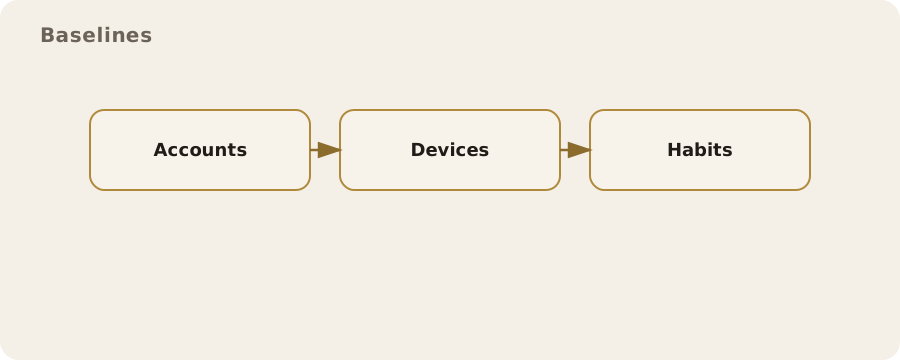
There is no single privacy set-up that fits everyone. A student sharing a flat in Leeds, a social worker travelling between clients, a journalist handling whistleblowers, and a parent managing a family tablet all face different trade-offs. Practical baselines are about choosing measures that make sense for your situation and are sustainable day to day. If the steps you take are too complex to keep up, they will slowly drift out of use and leave you with a false sense of security.
Minimum viable privacy
Minimum viable privacy is the smallest set of actions that noticeably reduces everyday exposure without demanding specialist skills. It is a baseline you can live with, not a maximalist position. The aim is to reduce routine data leakage, lower the chance of account takeover, and stop casual tracking rather than to be invisible.
Start with accounts and devices, because that is where most practical harm happens. Use a password manager so each account has a unique, long password. In the UK, many people now rely on biometrics to unlock phones, but a strong device PIN still matters because biometrics are about convenience rather than proof of consent. A six-digit PIN is better than four digits, and a long alphanumeric passcode is stronger still. Make sure your phone and laptop are set to full-disk encryption; most modern devices do this automatically once a passcode is set, but it is worth checking in settings.
Turn on multi-factor authentication (MFA) for your email and financial accounts. Prefer app-based codes or security keys over text messages. SMS codes can be intercepted in real-world cases through SIM swaps, and UK mobile providers have been targeted in that way. This does not mean SMS is useless, only that it should be treated as the weakest option.
Reduce background tracking where it is easy to do so. On your phone, review app permissions and remove location access from apps that do not need it. On a browser, limit third-party cookies and consider a privacy-focused browser as your default, while keeping a mainstream browser for sites that break. This is a pragmatic compromise: cookie blocking reduces casual profiling, but some services, such as online banking or government portals, are less tolerant and may require a standard browser.
Use encrypted messaging for private conversations. End-to-end encryption means the content of messages is readable only on the sender and recipient devices. It does not conceal who you are talking to or when; that information often remains visible as metadata. If you already use a mainstream messaging app with end-to-end encryption by default, it may be enough. The key is to use it consistently for the conversations that matter, rather than to chase obscure tools that no one around you will adopt.
Finally, reduce data sprawl. If you have accounts you no longer use, close them. If a site offers a choice between publishing and keeping something private, choose the least exposure you can live with. This is boring work, but it has a real impact: fewer accounts means fewer points of failure when breaches happen, which they routinely do.
High-risk environment checklist
Some people need a stronger baseline. This does not require you to assume danger at all times. It means acknowledging that your role, identity, or work brings specific risks: a clinician handling sensitive records, a campaign organiser facing targeted harassment, a person fleeing domestic abuse, or someone working in a regulated industry with strict confidentiality duties. In those cases, the baseline moves from “reduce casual exposure” to “reduce targeted harm”.
High-risk does not mean invulnerable. It means higher friction and clearer boundaries:
- Separate identities and devices where possible. If a phone is used for activist work, do not load it with personal accounts and social media. Keep contact lists and calendars segmented to limit cross-contamination.
- Harden account recovery. Use email addresses that are not publicly known for critical accounts, and avoid recovery methods that rely on easily guessed personal details. In the UK, automated credit checks and public records make some details surprisingly easy to find.
- Use hardware security keys for key accounts. They protect against phishing more reliably than codes, because the key verifies the website it is talking to.
- Consider threat modelling for communication. For example, a journalist might use a dedicated encrypted channel for source contact and a separate phone for general work. The goal is not secrecy for its own sake but to prevent accidental disclosure.
- Plan for device loss or seizure. Use full-disk encryption, keep regular backups, and know how to lock or erase a device remotely.
- Physical privacy matters. A sensitive conversation in a shared flat or on public transport is often the most realistic exposure, not advanced hacking.
A common misunderstanding is that high-risk privacy is purely about software. In practice, it is often about routines. For instance, if you rely on a second SIM for a sensitive project, but you carry both phones together, the separation you thought you had is limited. Similarly, if your workplace requires you to use a managed device, you should assume activity on it is logged by design. That is not a breach; it is how corporate compliance works.
Prioritisation
Most people run out of time before they run out of settings. Prioritisation means focusing on what will actually change your risk. A useful way to think about this is in layers: account access, device security, communications, and then wider online exposure.
Account access comes first because it is the fastest route to harm. If someone controls your email, they can reset most of your other accounts. That is why a password manager and strong MFA deliver outsized benefits. Next is device security: a phone left unlocked or a laptop without encryption is more likely to be compromised by loss or theft than by a sophisticated attack.
Communications come next. If you have sensitive conversations, move them to end-to-end encrypted channels and limit where you keep copies. For example, in a family dealing with a sensitive medical issue, it may be better to keep documents in a single encrypted storage location rather than scattered across email threads, shared drives, and photo galleries.
Finally, consider broader exposure such as social media profiles, data broker listings, and old public posts. This is slower work with benefits that are real but less immediate. It becomes more worthwhile if you have specific reasons to limit visibility, such as a public-facing role or a history of harassment.
It is also worth recognising diminishing returns. After a certain point, effort spent on tiny risks can leave larger ones untouched. If you still share passwords between services, installing an obscure privacy plug-in is unlikely to be your best use of time.
What not to bother with
Some measures create complexity without proportionate benefit. Knowing what to skip is part of practical privacy.
Constantly rotating devices and accounts can make you less secure because it is hard to keep track of what is active and what is safe. A forgotten account can become the weak link. Likewise, piling on privacy tools can create conflicts or break websites, leading people to disable protections when they are most needed.
Another example is the idea that private browsing mode makes you anonymous. It does not. It only stops your local browser from keeping a history. Your internet provider, employer network, or the sites you visit can still see what you are doing. Private browsing is useful for local privacy, such as when using a shared computer, but it is not a cloak.
Some people obsess over deleting every cookie, changing their browser fingerprint, and rotating VPN endpoints daily. These can help in specific circumstances, but they are high-effort and often fragile. For most people, consistent basic hygiene does more: unique passwords, strong MFA, and careful app permissions.
Finally, do not treat privacy as a contest. If a measure makes your life harder without a clear gain, it is probably not worth it. That is not complacency; it is a recognition that time and attention are limited resources.
Periodic reassessment
Privacy practices do not sit still because your life does not sit still. A job change, a new relationship, a move, or a shift in health can all alter what is sensible. So can changes in the services you use. A platform that was once low-risk might introduce new data sharing, or an app might be bought by a company with different incentives.
Set a light routine for checking in. Many people do it at the same time as a password review or when a phone contract renews. Look at your most important accounts first: email, banking, and any work systems. Check MFA settings, recovery options, and device security. Then review app permissions on your phone, and close any accounts you no longer use.
Reassessment is also about recognising what you can safely ignore. If a setting has no measurable effect for your context, leave it alone. The point is to maintain a baseline that stays real rather than aspirational. Over time, consistent small actions will do more than rare bursts of drastic changes that cannot be maintained.